For makers
The Featured badge
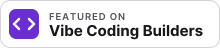
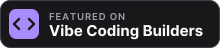
Put the "Featured on Vibe Coding Builders" badge on your project's site. While the badge is there, the link to your site from your project page is a followed link. Every other member link on VCB has rel="ugc".
Get your code
Open your project page on VCB while you are signed in, then open "Get your Featured badge". The card has the code with your project address, a light and a dark badge, and a copy button. The same card is on your dashboard.
The code looks like this (light):
<a href="https://www.vibecoding.builders/projects/your-project" target="_blank"><img src="https://www.vibecoding.builders/badges/featured-light.svg" alt="Featured on Vibe Coding Builders" width="220" height="48"></a>Put it in the footer or on the about page of your site. Keep the width at 220. Do not make it smaller than 165 wide, or the small line cannot be read.
What counts
- A link to your project page on VCB, by its name or its id, with or without www.
- The link must not have rel="nofollow", "ugc" or "sponsored". rel="noopener" and "noreferrer" are fine.
- The link must be on the site that your project links to. A badge on another site does not count.
- A link inside an HTML comment or a hidden template does not count.
- If your site builds its pages in the browser, we also read up to 3 script files on the same host and look for the link there.
When we check
We check every project site once a week. You can also press "Check now" on your badge card, once in 10 minutes.
If the badge goes away
Your link stays followed for 15 days after the last check that found the badge, so one bad deploy does not cost you anything. After that, the link has rel="ugc" again until we find the badge. If you change your project's website link, the badge must be found again on the new site.
Sites that cannot show it
A project that lives on Substack, GitHub, Gumroad, an app store or another site that you cannot edit cannot show the badge. Its link stays ugc.